May 3, 2010

GTX Theme Coming Back From The Dead With An Update

GTX Theme Coming Back From The Dead With An Update: "

If you have been waiting for the latest in HD2 themes to get that CHT 1.71 support, well Dark imageninja’s team has done that in their recent update. The update produced by Dark Ninja includes many new things, mostly fixes, but the most important and the one I have been waiting for is the Co0kie Hometab 1.71 support which has now been made available by these hard working men.


The update includes:


02/05/2010


- Support for Co0kies Home Tab 1.7.1

- Fixed Calendar crash issue

- Fixed all font color issues

- Fixed flip clock

- Fixed backgrounds for 6 clocks

- Fixed Layout of clocks

- Added Clock Colon as a separate image

- Some Graphics enhancements

- Eliminated all known bugs in first version


If you own an HD2 and want a cleaner look, and the blue theme posted earlier cannot do it for you. This GTX is the next best step available to you.

Download it


"

Follow Up on HTML5 Video in IE9

Follow Up on HTML5 Video in IE9: "

Our recent post generated many comments and questions. The discussion of intellectual property rights is complex and invites many different points of view. This is a good opportunity to talk through the certainty and uncertainty relative to our goals for IE9 from Microsoft’s point of view.


Developers have consistently conveyed that they want certainty and predictability in the underlying browser platform. We want to deliver a great HTML5 experience in IE9 with great certainty. The goal of certainty informs a lot of choices, such as which of the many standards still under construction we’ll pursue. Browser developers have to make decisions like this all the time.


For many reasons, H.264 video offers a more certain path than other video formats and does so in a way that delivers a great HTML5 experience for developers and end-users. First and most important, we think it is the best available video codec today for HTML5 for our customers. Relative to alternatives, H.264 maintains strong hardware support in PCs and mobile devices as well as a breadth of implementation in consumer electronics devices around the world, excellent video quality, scale of existing usage, availability of tools and content authoring systems, and overall industry momentum – each an important factor that contributes to our point of view.


H.264 also provides the best certainty and clarity with respect to legal rights from the many companies that have patents in this area. The rights for implementations of the H.264 standard (see this Wikipedia article about the standardization process) are managed by MPEG-LA as part of a program that has been in place for many years. This long-standing licensing program for a codec that is in broad usage today in the industry provides a stable system from which we can support our customers. As experts will note, there is never complete certainty in an area like this one.


Some comments asked for examples to support the statement in the previous post about “The rights to other codecs are often less clear, as has been described in the press.” One comment linked to a Streaming Media article; other examples are easy to find.


Intellectual property is a complex topic. As it’s not an engineering topic and this is an engineering blog, the remarks here are by definition limited. On the topic of whether one person’s codec does or doesn’t use someone else’s intellectual property, the only opinion that ultimately matters is a court’s. Many people seem to assume that availability of source code under an open source license implies that there are no additional costs, or that the code has properly secured necessary intellectual property rights from all rightful owners. Our experience and the experience of others indicate otherwise, and the web standards groups have discussed this issue as well. For other codecs, it’s not clear today how the rights will be determined for commercial scenarios and what the costs will be. By virtue of existing commercial use in a wide variety of products implemented by a large number of companies, H.264 minimizes uncertainty for consumers and developers.


Several comments speculated about Microsoft’s financial interest in the codec. (Microsoft participates in MPEG-LA with many other companies.) Microsoft pays into MPEG-LA about twice as much as it receives back for rights to H.264. Much of what Microsoft pays in royalties is so that people who buy Windows (on a new PC from an OEM or as a packaged product) can just play H.264 video or DVD movies. Microsoft receives back from MPEG-LA less than half the amount for the patent rights that it contributes because there are many other companies that provide the licensed functionality in content and products that sell in high volume. Microsoft pledged its patent rights to this neutral organization in order to make its rights broadly available under clear terms, not because it thought this might be a good revenue stream. We do not foresee this patent pool ever producing a material revenue stream, and revenue plays no part in our decision here.


There were many questions about royalties, and a lot of speculation in the comments about licenses and payments. The majority of H.264 video content on the web today is royalty-free. MPEG has said that individuals can create video files in the H.264 format and distribute them and play them over the internet for non-commercial purposes without further obligation on licensed platforms like Windows. We are aware that this commitment is set to expire in 2016, but fully expect to commit to supporting the extension of this license and associated terms beyond that date. In general, distributing encoders or decoders or offering sophisticated pay-for-video requires a license from MPEG-LA. Third-party applications that simply make calls to the H.264 code in Windows (and which do not incorporate any H.264 code directly) are covered by Microsoft’s license of H.264.


Some comments pointed to language in our Windows EULA that comes directly from MPEG-LA and reinforces many of these terms. As with all licensing programs, there are limitations and issues, which people have pointed out. The functionality we provide is technology we license and we follow the terms of that license.


Several comments asked about Microsoft’s support for plug-ins (like Flash and Silverlight). Of course, IE9 will continue to support Flash and other plug-ins. Developers who want to use the same markup today across different browsers rely on plug-ins. Plug-ins are also important for delivering innovation and functionality ahead of the standards process; mainstream video on the web today works primarily because of plug-ins. We’re committed to plug-in support because developer choice and opportunity in authoring web pages are very important; ISVs on a platform are what make it great. We fully expect to support plug-ins (of all types, including video) along with HTML5. There were also some comments asking about our work with Adobe on Flash and this report offers a recent discussion.


We’ve read some follow up discussion about support for more than the H.264 codec in IE9’s HTML5 video tag. To be clear, users can install other codecs for use in Windows Media Player and Windows Media Center. For web browsers, developers can continue to offer plug-ins (using NPAPI or ActiveX; they are effectively equivalent in this scenario) so that webpages can play video using these codecs on Windows. For example, webpages will still be able to play VC-1 (Microsoft WMV) files in IE9. A key motivator for improving the codec support in Windows 7 was to reduce the need that end-users might have to download additional codecs. The security risks regarding downloadable codecs and associated malware are documented and significant. By building on H.264 for HTML5 video functionality, we provide a higher level of certainty regarding the security of this aspect of browsing and our web platform.


The biggest obstacle to supporting more than H.264 today is the uncertainty. When there’s industry consensus and confidence that the uncertainties are resolved, we’ll be open to considering other codecs. Until then, we’ll continue with our current plans to deliver great HTML5 video in IE9 with certainty for consumers and developers.


Dean Hachamovitch


List of articles referenced


AVC/H.264 Licensors


Fake codecs that drop widely spread malware


Google may face legal challenges if it open-sources VP8 codec


H.264 Already Won—Makes Up 66 Percent Of Web Videos


H.264 licensing body won't charge royalties for HTML5, other Web streams


IE Blog: HTML5 Video


JPEG patent case steams forward


Mac OS X malware posing as fake video codec discovered


Malware Posing As Youtube Codec


Media Streaming with Windows 7


Microsoft Security Intelligence Report Volume 8


Microsoft Sued Over JPEG Patent


MPEG LA’s AVC License Will Continue Not to Charge Royalties for Internet Video that is Free to End Users


NPAPI


Open letter to Steve Jobs: Thoughts on Flash


Re: Codecs for <video> and <audio> from Silvia Pfeiffer on 2009-07-29 (public-html@w3.org from July 2009)

"

Cloud Cover Episode 9 - Blob API

Cloud Cover Episode 9 - Blob API: "Join Ryan and Steve each week as they cover the Microsoft cloud. You can follow and interact with the show at @cloudcovershow


In this episode:


  • Using the StorageClient library, take a lap around the Blob API and discover the common operations

  • Hear the latest news and announcements for the platform

  • Discover a quick tip/gotcha for running the AppFabric Service Bus in Windows Azure


Show Links:


Windows Azure self-paced training

OData under Apache 2.0 license

Filtering Diagnostic Events

New SQL Azure features are live

AppFabric Service Bus troubleshooting Tips

Blob API Upload Optimizations (via Rob Gillen)

"

Ch9Live at VS2010 Launch - Stephen Toub on Parallelism

Ch9Live at VS2010 Launch - Stephen Toub on Parallelism: "Stephen Toub and Charles Torre discuss Parallelism at DevConnections 2010 as part of the Visual Studio 2010 Launch in Las Vegas.


This session was recorded live as part of Channel 9 Live at the Visual Studio 2010 Launch from the Bellagio Hotel & Casino on April 12th 2010.
"

Reading between the lines of Microsoft's latest IE 9 standards missive

Reading between the lines of Microsoft's latest IE 9 standards missive: "Mary Jo Foley: It's been a week of attempting to decipher motives and messaging in Microsoft-land. The (hopefully) last piece over which I’ll be puzzling before the weekend is Microsoft's latest missive on the company’s IE Blog.


On April 29, IE General Manager Dean Hachamovitch posted a short blog entry about Microsoft’s decision to back the H.264 video codec in Internet Explorer 9. That fact, in and of itself, wasn’t new; Microsoft officials said the same back at Mix 10 in March, when they rolled out the first preview of Microsoft’s next-gen browser...


View Full Article: Mary Jo Foley's Blog"

Microsoft fires back at critics of its HTML5 strategy

Microsoft fires back at critics of its HTML5 strategy: "Apple and Microsoft are at it again. This time, though, the two archrivals find themselves on the same side (more or less) of a tremendously contentious issue: Which video format will be adopted as the standard for the Internet over the next five (or more) years?


The answer from both companies is H.264. Coincidentally, both Apple and Microsoft issued manifestos announcing that support last week. But how they continued that discussion with developers, partners, and customers is a very different story indeed...


View Full Article: Ed Bott's Microsoft Report"

Oct 9, 2009

Windows Theme Generator Tour

In this video Pocket Now cover Microsoft's web-based Custom Theme Generator for Windows Mobile 6.5 devices. Although right now you can only choose from three phones on the Generator website, choosing the Pure or Imagio will generate a skin for any WM 6.5 device with a WVGA screen, and clicking on the Intrepid will generate a theme for any landscape QVGA WM 6.5 device. We tested the themes on 6.0 and 6.1, and sadly they don't work.

Follow this link

http://pocketnow.com/software-1/windows-phone-custom-theme-generator-tour

Oct 7, 2009

HTC HD2 official Specs

Physical

Size:
Size
Weight: 157 grams (5.54 ounces) with battery

Buttons:
Button

CPU Processing Speed

1GHz Snapdragon™ processor

Power & Battery1

Battery type: Rechargeable Lithium-ion battery
Capacity: 1230 mAh
Talk time:

  • WCDMA: Up to 320 mins
  • GSM: Up to 380 mins
Standby time:
  • WCDMA: Up to 390 hours
  • GSM: Up to 490 hours
Video playback Up to 8 hours
Audio playback: Up to 12 hours

Camera

Camera

  • 5 megapixel color camera
  • Auto focus
  • Dual LED flashlight

Connectors

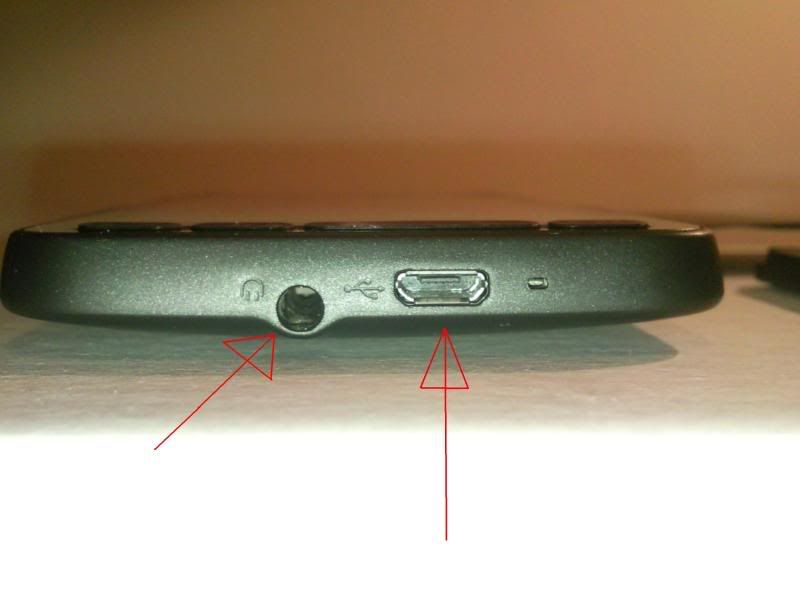
  • 3.5 mm stereo audio jack
  • Standard Micro-USB
    (5-pin micro-USB 2.0)

Sensors

  • G-Sensor
  • Proximity sensor
  • Ambient light sensor

Home Screen

Home, People, Messages, Mail, Internet, Calendar, Stocks, Photos & Videos, Music, Weather, Footprints, Twitter, Settings

Social Networking

  • Facebook™ integration
  • Sharing photos on Facebook and Twitter
  • Sharing videos on YouTube™
  • HTC Peep™ for twittering

Recommended Windows System Requirements

  • Windows XP or Windows Vista®
  • Microsoft® ActiveSync® 4.5 for Windows XP
  • Microsoft® Windows Mobile Device Center 6.1
    for Windows Vista

Display

Display

Type: Capacitive touch screen
Resolution: 480 X 800 WVGA

Operating System

Windows Mobile® 6.5 Professional

Storage

  • ROM: 512 MB
  • RAM: 448 MB
  • Expansion slot: microSD™ memory card (SD 2.0 compatible)

Network Bands2

Europe: Network Bands

  • HSPA/WCDMA: 900/2100 MHz
  • GSM: 850/950/1800/1900 MHz
Asia Pacific:
  • HSPA/WCDMA: 900/2100 MHz
  • GSM: 850/950/1800/1900 MHz

Internet3

  • Browser: Opera Mobile™
  • 3G:
    Up to 7.2 Mbps download speed
    Up to 2 Mbps upload speed
  • GPRS: Up to 114 kbps download speed
  • EDGE: Up to 560 kbps download speed
  • Wi-Fi®: IEEE 802.11 b/g

Tethering

  • Internet Sharing through USB or Bluetooth
  • Wi-Fi Router

Bluetooth

  • Bluetooth® 2.1 with Enhanced Data Rate
  • Supported profiles: A2DP, AVRCP, BIP, BPP, DUN, FTP, GAP, GOEP, HFP, HID, HSP, OPP, PAN, PBAP, SAP, SPP

Multimedia

Multimedia

  • Windows Media® Player
  • Albums
  • Pictures & Videos
  • FM Radio
  • Audio supported formats:
    .aac, .amr, .m4a, .mid, .mp3, .mp4, .qcp, .wav, .wma
  • Video supported formats:
    .wmv, .asf, .mp4, .3gp, .3g2, .m4v, .avi

Location

Location4

  • Internal GPS antenna
  • HTC Footprints™
  • Digital Compass
  • NaviPanel
  1. Battery times (talk time, standby time, and more) are subject to network and phone usage.
  2. Network bands in regions other than Europe and Asia Pacific may be different, depending on the mobile operator and your location. Please check with your mobile operator.
  3. Actual data speed is dependent on the network or Wi-Fi signal strength.
  4. NaviPanel requires the HTC HD2 car kit which needs to be purchased separately.

HTC Touch HD2 Images

http://www.htc.com/uploadedImages/WWW/Press_Room/Product_Photo_Gallery/HTC_HD_2/Download_03_HTC_HD2.jpg

http://www.htc.com/uploadedImages/WWW/Press_Room/Product_Photo_Gallery/HTC_HD_2/Download_02_HTC_HD2.jpg

http://www.htc.com/uploadedImages/WWW/Press_Room/Product_Photo_Gallery/HTC_HD_2/Download_01_HTC_HD2.jpg

http://www.htc.com/uploadedImages/WWW/Press_Room/Product_Photo_Gallery/HTC_HD_2/Download_04_HTC_HD2.jpg

http://www.htc.com/uploadedImages/WWW/Press_Room/Product_Photo_Gallery/HTC_HD_2/Download_05_HTC_HD2.jpg

http://www.htc.com/uploadedImages/WWW/Press_Room/Product_Photo_Gallery/HTC_HD_2/Download_06_HTC_HD2.jpg

Enjoy….


ANH

Get The Best Phone of All

HTC Touch HD2 is here…get the greatest of all devices now……Check out the product tour on the official website and enjoy being there.

image

http://www.htc.com/www/product/hd2/product-tour.html

ANH

Upgrade To Windows Mobile 6.5

Have you heard about some exciting new features in Windows Mobile 6.5 that you’d like to try (like enhanced web browsing and improved messaging)? Have you wondered if you can update your older Windows Mobile phone to Windows Mobile 6.5? The answer depends on the model of your phone and conditions put in place by your mobile operator (also known as your carrier).

http://www.microsoft.com/windowsmobile/en-us/meet/wm65-upgrade.mspx

the website above provides much more information…

ANH

Oct 6, 2009

Windows 7 Global Launch

Welcome to the windows 7 world. The official global lunch would be October 14. More and more resources are being put to teach out about windows 7. Stay tuned and visit Microsoft Technet more often to get a grasp of the learning snacks.

here are some links to enjoy while waiting for October 14

http://blogs.technet.com/askperf/archive/2009/10/05/windows-7-windows-server-2008-r2-console-host.aspx

http://blogs.technet.com/askperf/archive/2009/10/04/windows-7-windows-server-2008-r2-unified-background-process-manager-ubpm.aspx

http://blogs.technet.com/askperf/archive/2009/10/02/windows-7-windows-server-2008-r2-fault-tolerant-heap-and-memory-management.aspx

http://blogs.technet.com/askperf/archive/2009/10/01/windows-7-windows-server-2008-r2-upgrade-paths-registry-enhancements-crash-dumps-and-page-file-sizing.aspx

http://blogs.technet.com/askperf/archive/2009/09/18/windows-7-is-coming-see-y-all-in-two-weeks.aspx

http://blogs.technet.com/askperf/archive/2009/09/15/is-your-organization-ready-for-windows-7.aspx

ANH

Windows Mobile 6.5 is hitting your Door


WM 6.5 is arriving in hour time. Even some devices are already around. If you wanna a short list of what is new, look no further.

New Features In Windows Mobile 6.5

Rather than a thorough reworking of the platform, 6.5 is very much a nip-tuck job -- just as every Windows Mobile version in recent memory has been. Here are the biggies:

  • New Today screen: Though the "classic" Today screen is still available, 6.5 introduces an all-new version that somewhat closely approximates the Zune's home screen experience (whether that's a harbinger of things to come remains to be seen). Perhaps more than any other single feature, the new Today screen gives 6.5 a freshened look -- but ironically, many users will never see it because it's often replaced by a manufacturer customization (in HTC's case, TouchFLO).
  • "Honeycomb" Start screen: The main menu of old -- a white screen with a grid of boring, old icons -- looked like a relic of Windows 3.1. Happily, it's gone here, replaced with a themed alternating list of thoroughly modern images for default apps. The Start menu is gone, too -- pressing the Windows icon in the upper left of the screen now leads straight to the new Start screen.
  • Finger-friendly UI elements: Windows Mobile's notorious for being unable to shake the stylus, but 6.5 makes some additional baby steps to help fingertips do all of the work -- inertial scrolling in many screens and a redesigned context menu style both help here.
  • New lock screen: Though not revolutionary, Microsoft put a commendable amount of thought into this one -- instead of merely settling to give the user one way to get back into their device, 6.5's lock screen gives you multiple points of entry depending on the current status; if you've got a new text message, for example, you get a separate unlock slider that can take you straight to it.
  • Revamped Internet Explorer: Bringing a "desktop" browsing experience to the pocket has been a big focus for mobile platforms over the past couple years, and Microsoft's been lagging desperately in bringing a version of Internet Explorer Mobile that's both easy to use with a few swipes of a finger and also capable of digesting thoroughly modern pages using up-to-date standards and technologies. The company's made it a big focus for 6.5, adding a new, prettier UI, a zoom slider, better support for full HTML, and a new JavaScript engine.
  • Windows Marketplace: The biggest news in 6.5 might not be a 6.5 specific feature at all, ironically. Windows Marketplace finally takes WinMo into the all-important world of consolidated, managed mobile app stores, but it's only exclusive to 6.5 for a few weeks before being made available to 6 and 6.1 later this year.
  • Exclusive content: It's hardly a platform "feature," really, but Microsoft is making a pretty big deal of the fact that it's signed on a number of internationally-recognized designers like Isaac Mizrahi and Vera Wang to craft themes for 6.5 that ship with the platform free of charge (we're not sure if you'll find them on every 6.5 phone to be produced, but they came loaded -- albeit turned off by default -- on our Pure).
For a complete review of what is new…Please visit the following link:

http://www.engadget.com/2009/10/06/windows-mobile-6-5-review/

ANH

Windows Phone Online Theme Creator

Microsoft is serious about letting you customize your phone and has created for you an online theme creator that let us personalize your phone. A screenshot is presented below:


You can access more information and create your own theme at http://www.microsoft.com/windowsmobile/en-us/downloads/theme-generator.mspx#

Unfortunately this support only the Windows 6.5 for now and you need to install silverlight in the browser…

In addition not all phone are supported now…But definitly more phone will be supported in the future (if your phone has same resolution you can still use the theme creator).

ANH

Oct 5, 2009

Windows Market Place is open now…for wm 6.5

It's live and dancing right now a full day before any of this was supposed to launch

check the link

Marketplace is live on Windows Mobile 6.5 phones

Oct 4, 2009

HTC Leo latest information

Features
Platform
Ultra slim bar type touch phone / Windows Mobile 6.5 Professional
Processor/Chipset
Qualcomm MSM 8250, 1GHz
Memory / Internal Storage
ROM: 512 MB / RAM: 320 MB / HD: 207.13MB
Display Module
4.3-inch 480x800 WVGA resolution / 65K-color / Sensitive touch screen (Capacitive) / Keep support Multi-Touch capability for WM7 Chassis
HSPA/UMTS/EDGE/GPRS/GSM Function
Internal antenna
HSPA/UMTS 2100/900 MHz and GSM/GPRS/EDGE
Quad-band (850/900/1800/1900 MHz) / HSDPA / 3GPP Release 5 compliant
Up to 7.2Mbps / HSUPA / 3GPP release 6 compliant / UE category 5, up to 2 Mbps peak rate / EGPRS Functionality / EGPRS class B / Multi-slot class 12 (10 Operator dependent) / PBCCH
Standalone GPS
Internal GPS antenna
Sensors
Motion G-sensor / Proximity sensor / Ambient Light Sensor / FM Radio
Digital Camera
Main camera: 5 MP Color CMOS with auto focus / 2x LED flash
Key/Button/Switch
Volume up and down control / Send Key / End Key (Power Key) / Windows Key / Home Key / (Cinema mode Key, TBD) / Back Key / Reset
Notification
Notification by sound, vibration, LEDs or status shown on the display
One dual colors (Green and Amber) LED in the left / lens for PDA event, battery and charging / status
Audio
Built-in microphone / Receiver / Loud speaker with hands-free support
Connectivity & Interface
Bluetooth / Version 2.1 compliant with EDR / Wi-Fi / IEEE 802.11 b/g compliant / Micro-USB: / USB 2.0 High-Speed client / 3.5 mm stereo audio jack with mic / 1.8/3V USIM/SIM card slot / microSD card slot with SDHC support
Power
Battery / Removable and chargeable battery, 1,230 mAh / AC adaptor / AC input: 100 ~ 240V AC, 50/60 Hz / DC output: 5V and 1A
Accessories (In-Box)
Quick Start Guide [Inbox] / Travel Charger, TC P300 [Inbox] / USB Sync Cable (Micro-USB to Standard USB) [Inbox] / Battery [Inbox] / Wired stereo headset with 3.5mm audio connector, HS G335 [Inbox] / Premium pouch (Carrying Case) [Inbox] / Car Charger [optional] /Car Holder with
battery cover [optional]
Microsoft Windows Mobile 6.5 Professional Applications
Microsoft Outlook Mobile / Messaging (SMS/E-mail), Contacts, Calendar,Tasks, Email Set Up Wizard / Microsoft Internet Explorer Mobile / Microsoft Media Player Mobile / Microsoft ActiveSync / Microsoft Windows Mobile Update / Internet Sharing / Pictures & Videos / Games / MSFT Zip
File Explorer / Device Management / Security Enhancement / Microsoft Office Mobile / Microsoft Windows Live! / Microsoft Smart Dial / Microsoft Remote Desktop Mobile
Value-Added Applications
Windows Mobile Enhancements / Pictures & Videos enhancements / Ring Tone enhancements Telephony (HTC) Phone Canvas(HTC) Phone Experience Multimedia / (HTC) Camera Album / MP3 Trimmer / Streaming Media Player / FM Radio / Presentation mode / Web / Push Internet / RSS HUB / YouTube Client Social Networking / Input Method EZ-INPUT / Messaging SMS/MMS Client / GPS/LBS Navigation (CoPilot, Papago) / Google Maps / Quick GPS / Support CLL.dll library for indoor positioning andreverse geo-coding / Navi-panel / Calendar to Navi / User Interface (Enhanced Manila) / TouchFLO Footprints / Auto Screen Rotation /
Tools & Utilities
HTC Common Sense / 3G to WiFi router / Task Manager / Text selection (HTC) Connection Setup / OOBE / Voice Recorder / Document Viewer / PDF / OMA DRM Engine / Java virtual machine / Long Press / End Key Confirmation (to shut down) / STK SIM manager / (HTC) Volume Control / Business Card Reader / Document Printing / Magnifier.

Find some photos below:

http://i17.photobucket.com/albums/b65/NyoR/SNC00012.jpg
http://i17.photobucket.com/albums/b65/NyoR/SNC00013.jpg
http://i17.photobucket.com/albums/b65/NyoR/SNC00014.jpg
http://i17.photobucket.com/albums/b65/NyoR/SNC00015.jpg
http://i17.photobucket.com/albums/b65/NyoR/SNC00016.jpg
http://i17.photobucket.com/albums/b6...SNC00021-1.jpg
http://i17.photobucket.com/albums/b65/NyoR/SNC00019.jpg
http://i17.photobucket.com/albums/b65/NyoR/SNC00020.jpg
http://i17.photobucket.com/albums/b65/NyoR/SNC00018.jpg
http://i17.photobucket.com/albums/b65/NyoR/SNC00017.jpg
http://i17.photobucket.com/albums/b65/NyoR/SNC00024.jpg
http://i17.photobucket.com/albums/b65/NyoR/SNC00025.jpg
http://i17.photobucket.com/albums/b6...SNC00026-1.jpg

Oct 2, 2009

Windows XP Mode Launch

XP Mode is ready, will be a free download on October 22.


Check out this blog entry

http://windowsteamblog.com/blogs/windows7/archive/2009/10/01/coming-soon-final-release-of-windows-xp-mode.aspx

xpmode

Windows Mobile Market For WM 6.1


There’s been some speculation on when Marketplace will come to older phones. Well it is coming…

http://mobiletechaddicts.com/2009/10/02/windows-mobile-marketplace-coming-to-6-1-in-november/

Trapster on Windows Mobile

Some of you have probably seen Trapster on an iPhone, BlackBerry or Android device. If you haven’t seen or heard of it, Trapster is a free app that tracks your location on a map (using GPS) and alerts you to surrounding speed traps/cameras.

Check out more info at this link…

http://pocketnow.com/software-1/trapster-for-windows-mobile-revamped-coming-to-marketplace-oct-6


Happy Windows Mobile

BumpTop Mutlitouch

hey there…I wtold u that windows 7 is great. Adding Bumptop to it is amazing also…Check the following link…

http://lifehacker.com/5371919/bumptop-gets-amazing+looking-multi+touch-on-windows-7